AI-native analytics for non-technical teams
Summary
Filament is an AI analytics platform for non-technical teams. You connect your business tools, ask Filly, its AI analyst, a question in plain English, and get answers, charts and dashboards back.
As Founding Designer, I built it from zero with the founder and owned eight features end to end through launch.
Role
- Founding Designer
Status
- Launched, 2025–26
Team
- Founder
- Founding Designer (me)
Scope
- Research
- Product strategy
- UX and UI
- Design system
- Go-to-market
Tools
- Figma
- Claude Code
- Cursor
Problems
- Growing companies keep their data in 5–15 tools, and most have no data team.
- Founders and operators rebuild the same spreadsheets every month.
- Enterprise BI needs SQL. Simpler tools show what happened, but not why.
Solutions
- Ask Filly in plain English, in a thread or next to any dashboard.
- Quick answers and lasting dashboards became two separate experiences.
- Filly shows its working, asks when a question is ambiguous, and remembers how each team works.
Results
- Launched and signed the first paying customers.
- Shipped eight features end to end, from the AI analyst to the design system.
- Led go-to-market across positioning, paid ads, the blog and SEO.
- Adoption grew too slowly to sustain the business.
Context
The challenge
Growing companies keep their data in 5–15 tools, and most have no data team. Analytics falls to founders and operators, who export CSVs and rebuild the same spreadsheets every month. Enterprise BI tools need SQL. Simpler tools show what happened, but not why.
Who we designed for
Our users were non-technical teams at bootstrapped SaaS companies, agencies and non-profits. Research with early customers and the wider market gave us four personas:
Personas
- 01
Technical founder
- 02
Operations lead
- 03
Growth PM
- 04
Lean marketer
They were all short on time and switching between disconnected tools, and none of them wanted to write SQL. They rarely pushed back on price. What they asked was whether Filament would create more work than it saved.
Process
Design approach
The goal was to make analytics feel like search. You type a question and get an answer you can trust.
Core loop
- 01
Connect
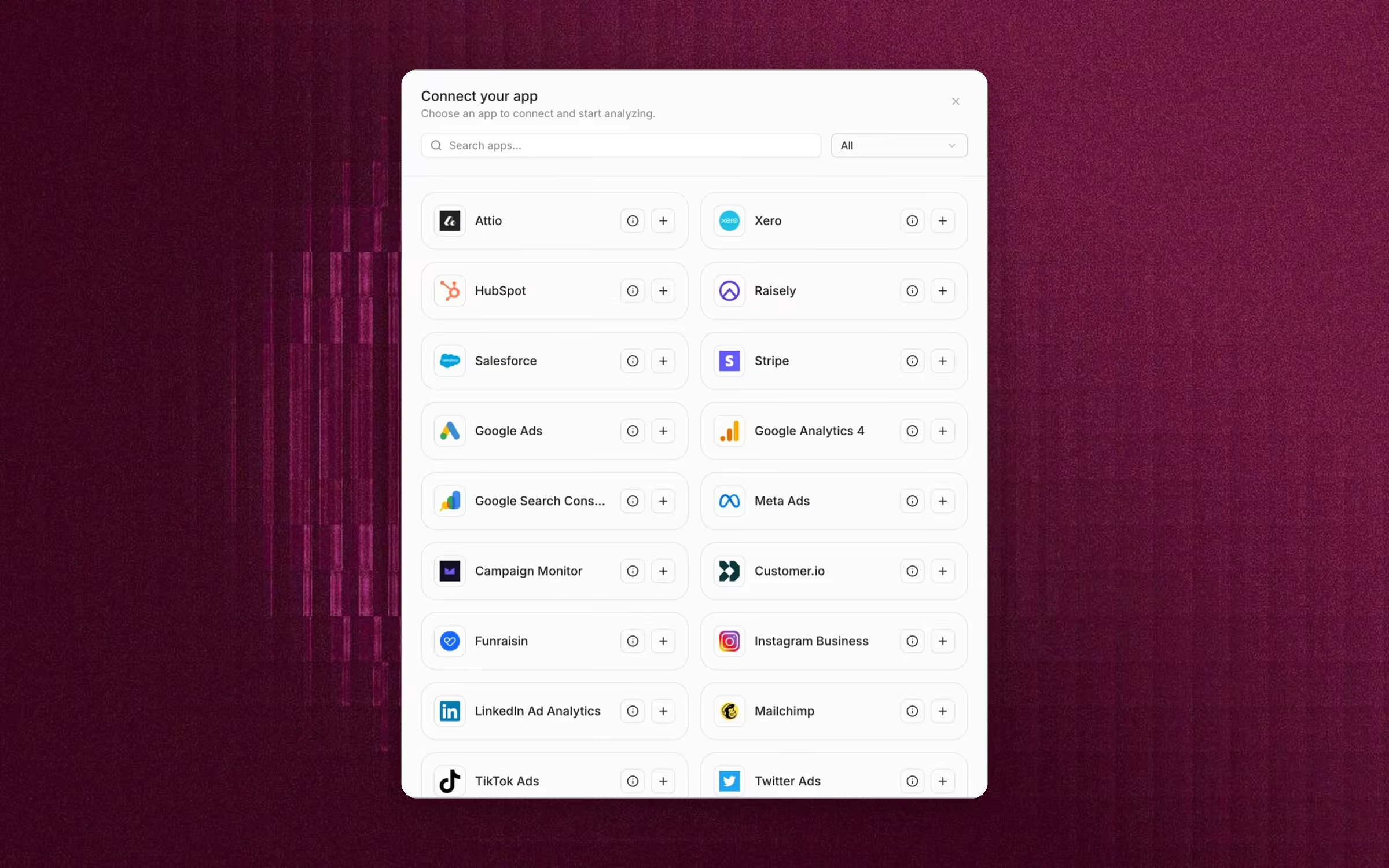
Connect your tools once in Apps. Filament keeps the data in sync.
- 02
Ask
Ask Filly a question in a thread, or next to any dashboard or chart.
- 03
Check
See how Filly worked out the answer, and clear up anything ambiguous.
- 04
Build
Save charts to a dashboard, or describe a new one and let Filly build it.
- 05
Share
Share the dashboard with your team, or through a public link.
Answers and dashboards are different jobs
The first version we shipped was built on a simple idea. You asked a question about your data in plain English, and the AI generated a dashboard in response. Over the following months, product usage and customer interviews showed two different needs inside that one flow. Sometimes people wanted a quick answer. Other times they wanted a dashboard they could come back to, refine and share.
Generating a dashboard for every question got in the way when someone just wanted to explore. It also made dashboards feel disposable, when they should have been something people shaped over time. Fixing that meant changing how the product worked at its core, so I split the information architecture in two.
New structure
- 01
Threads
For ad hoc questions. Filly answers in text and suggests follow-ups, and nothing has to be saved.
- 02
Dashboards
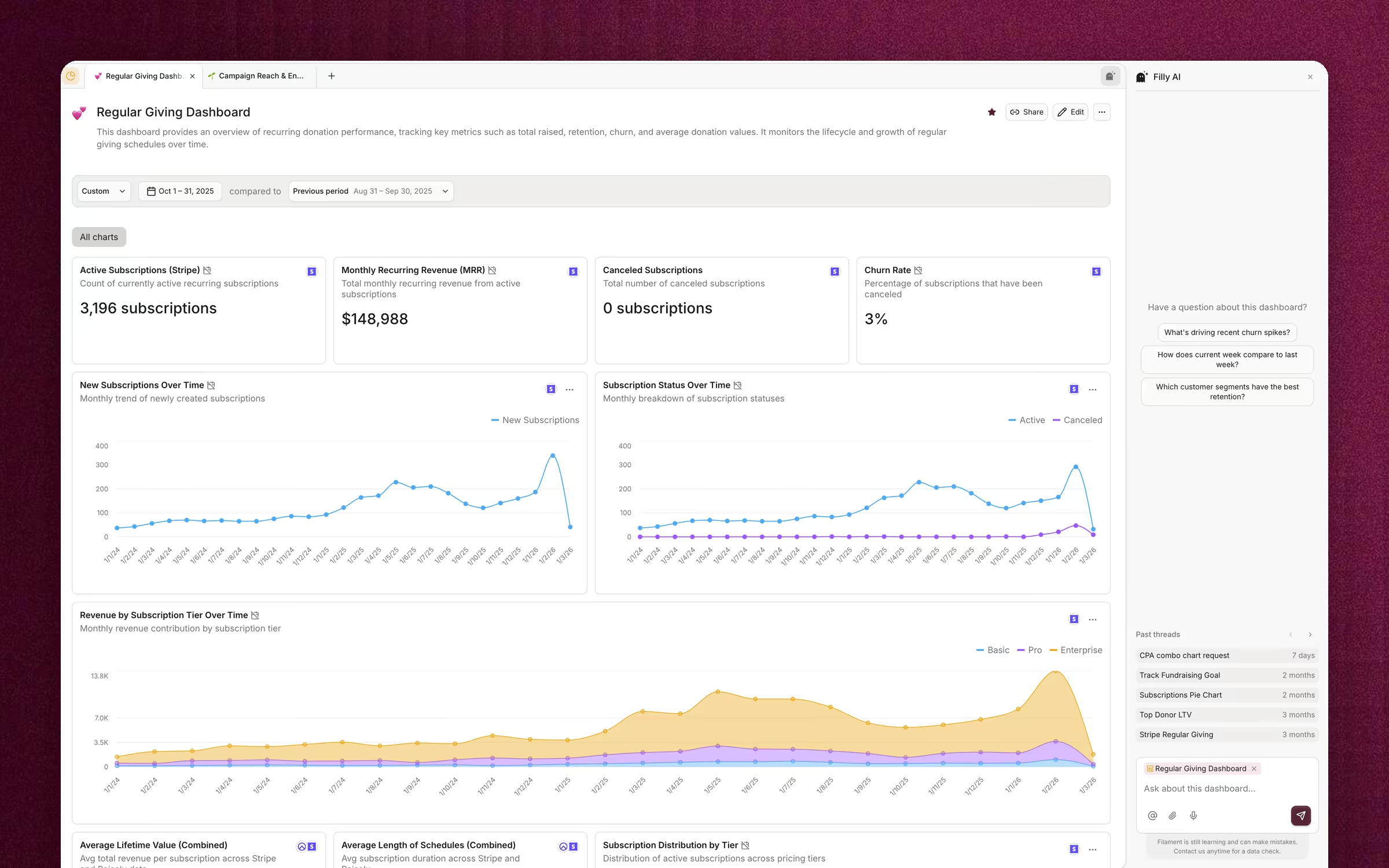
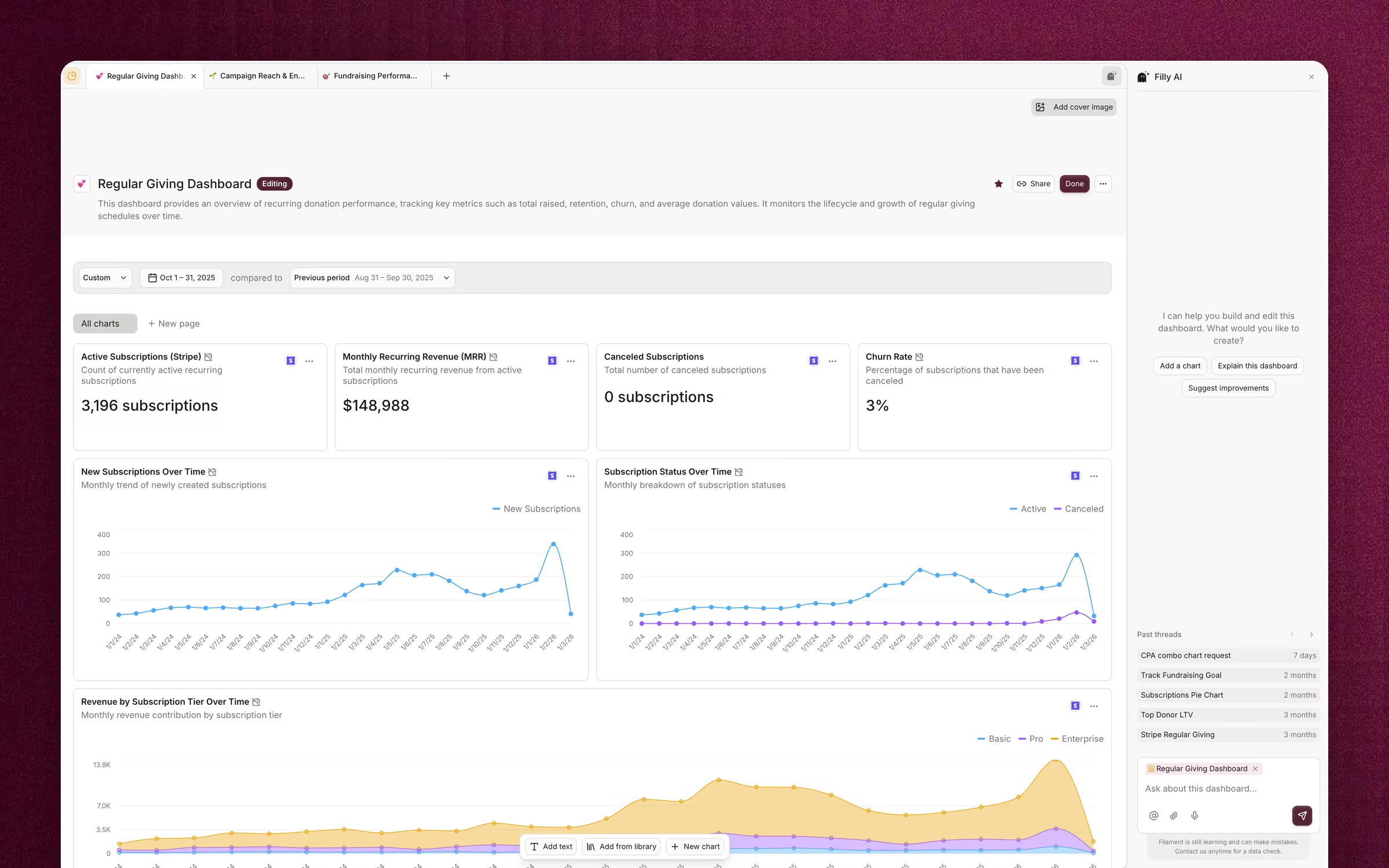
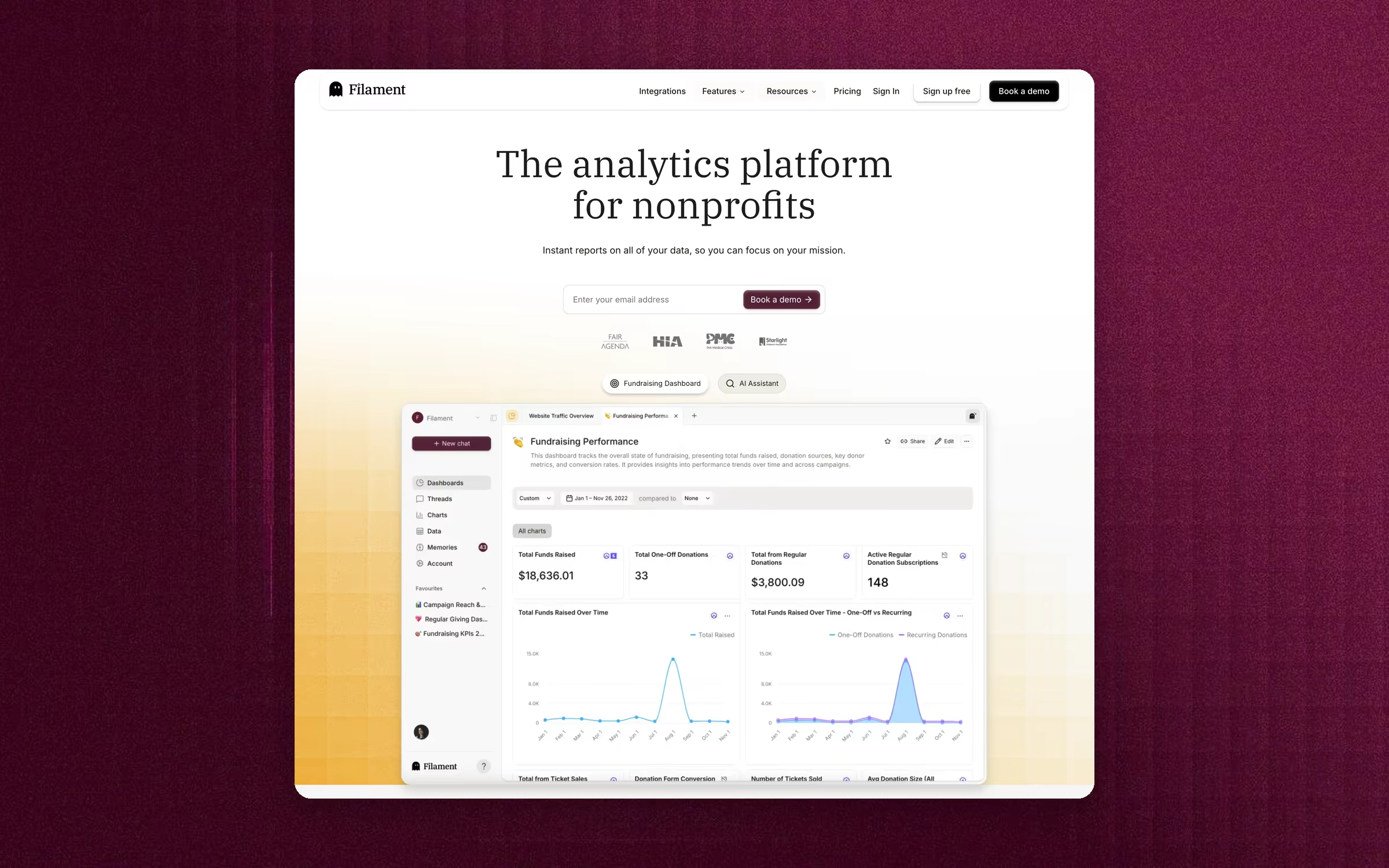
Persistent, editable artifacts. Users rearrange and resize charts, add text, pull charts in from a shared library, or describe a new one to Filly.
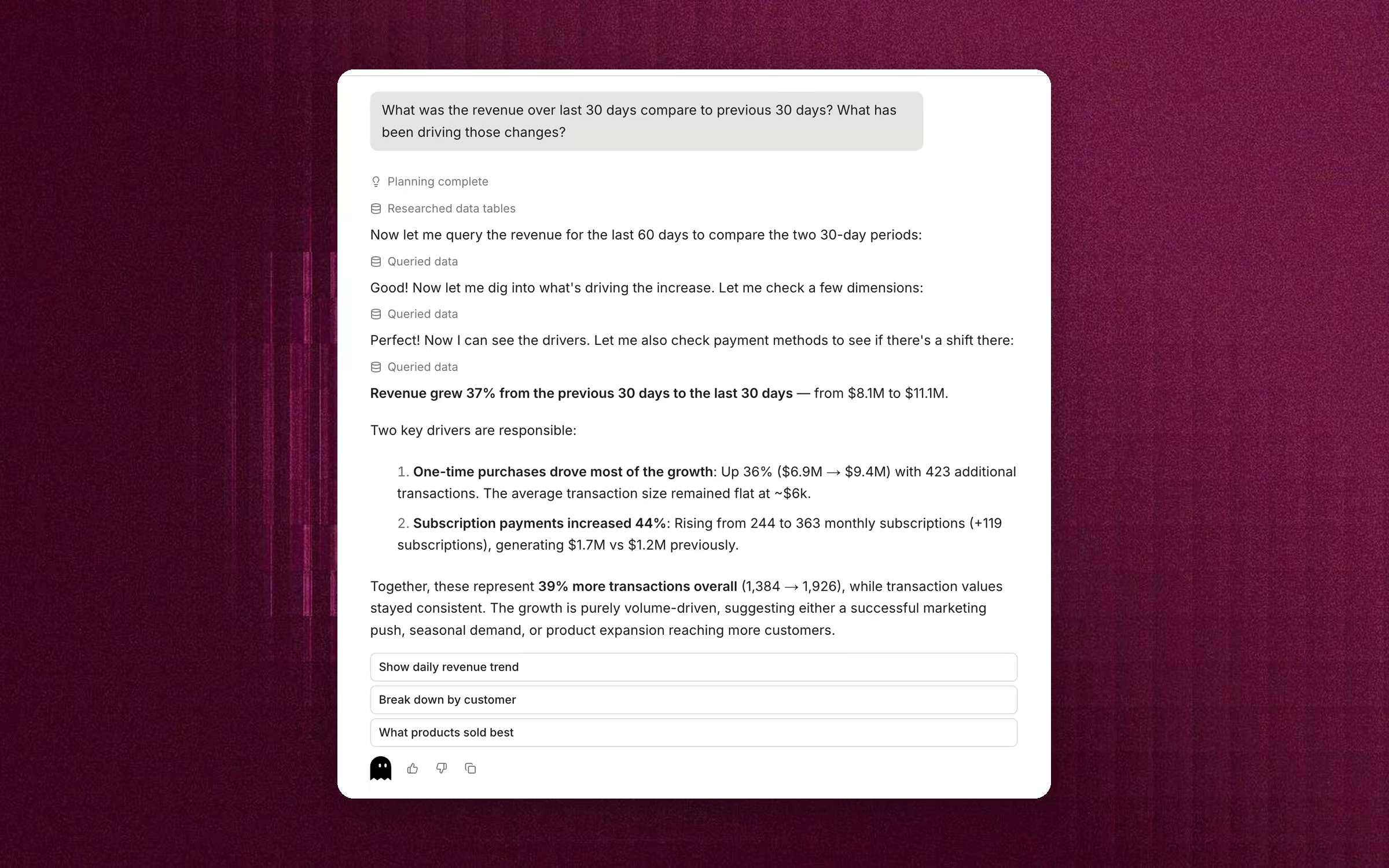
Each part now had a clear job. Threads are a light way to explore and understand data. Dashboards are where insights get organised for ongoing analysis and reporting.
Key decisions
Show how Filly got to the answer
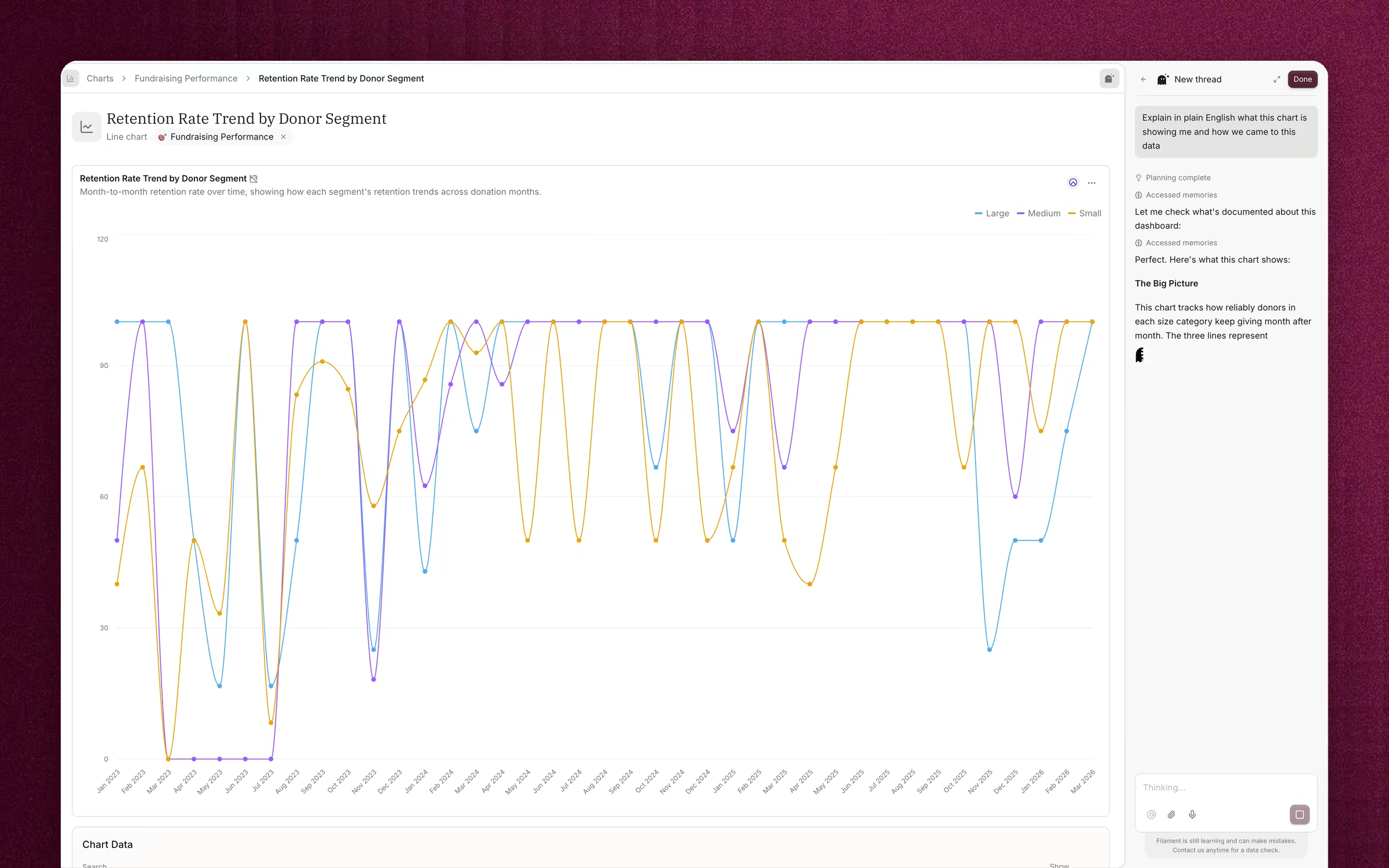
“Retention” can mean several different things, and one confidently wrong chart can lose a user’s trust for good. While Filly works, it shows each step, such as retrieving app instructions, querying data or checking memories. When it’s done, the steps collapse into a short summary like “Worked through 2 steps”, and users can expand it to read Filly’s reasoning.
When something doesn’t add up, Filly asks before it answers. In one thread, a user asked about traffic for “today (Jan 24)” on January 29. Filly noticed the mismatch and asked which date they meant before running any queries.

Put the AI next to the data
Filly sits in a side panel next to every dashboard and chart, and knows which one you’re looking at. The suggested questions change with the page. A dashboard suggests “What’s driving recent churn spikes?”, and a single chart suggests “Explain this chart” or “Discover a trend”.
Make sources and freshness visible
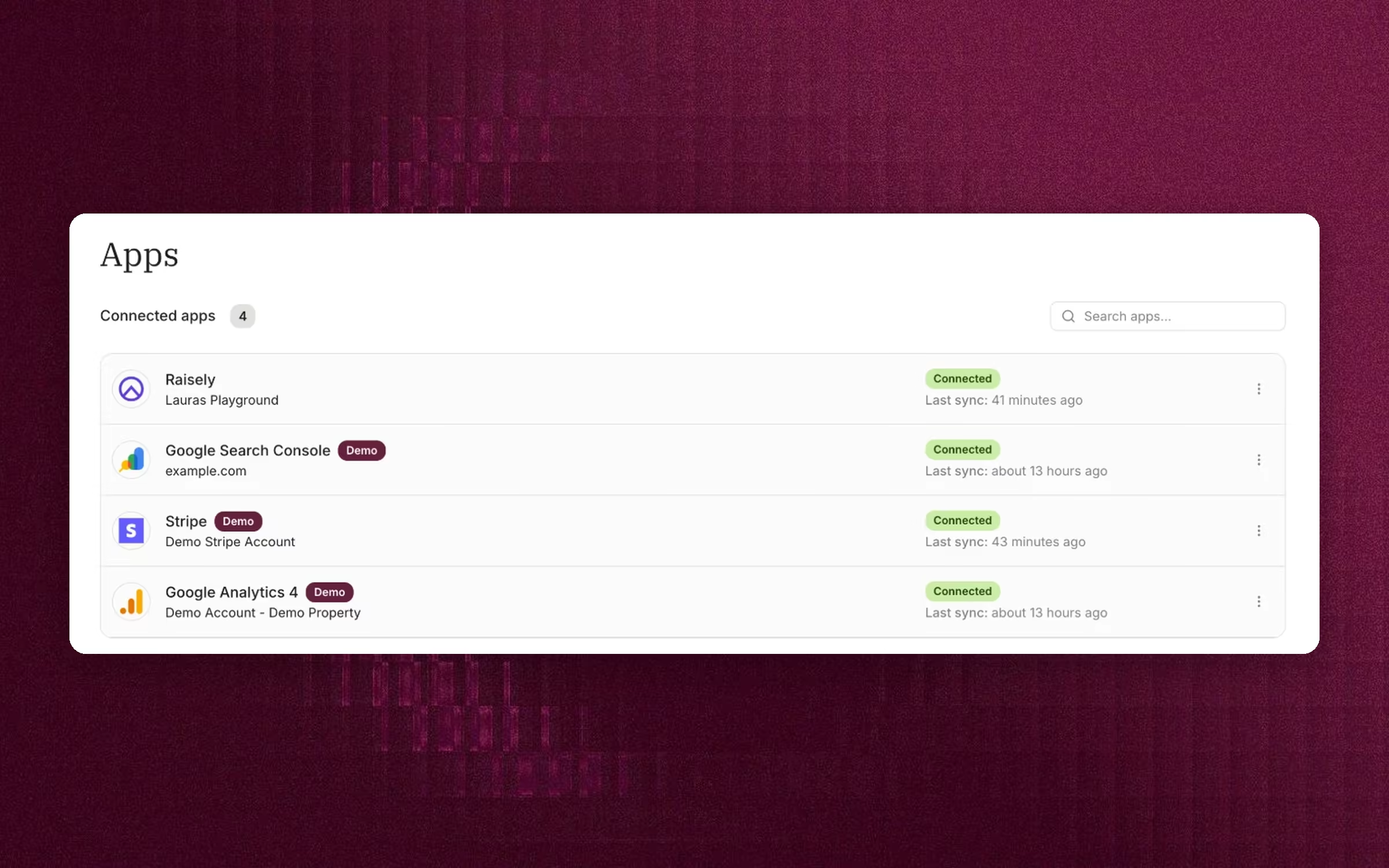
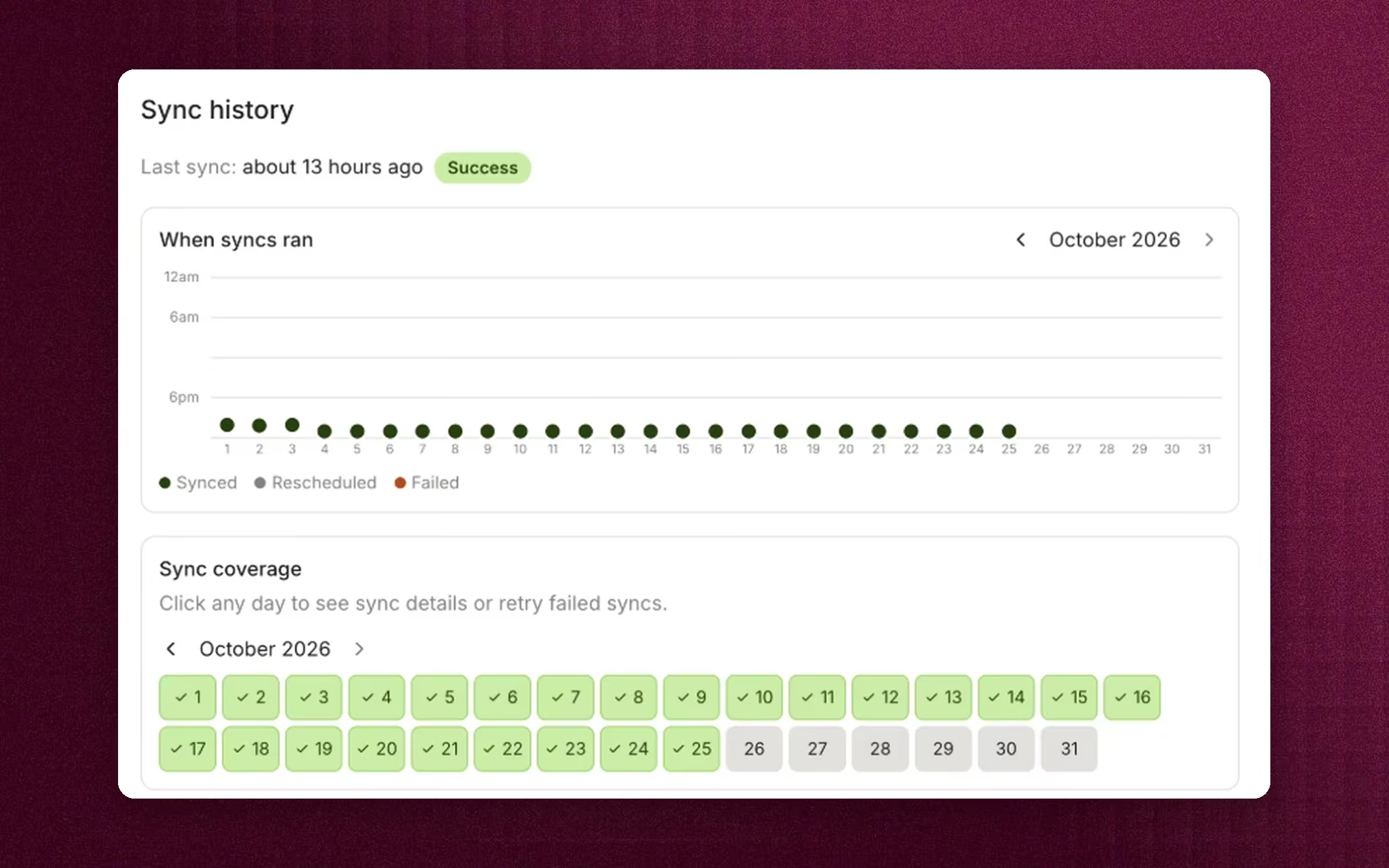
Teams connect tools like Stripe, Raisely, HubSpot and Google Analytics in Apps. The list shows when each one last synced. Each app’s page shows how often it syncs, how recent the data is, which dashboards use it and every sync that ran, with a way to retry failed syncs. Every chart also shows which source its data comes from.
Users know what Filament is working with before they ask anything, and a stale number never passes as a fresh one.
Let Filly learn the business
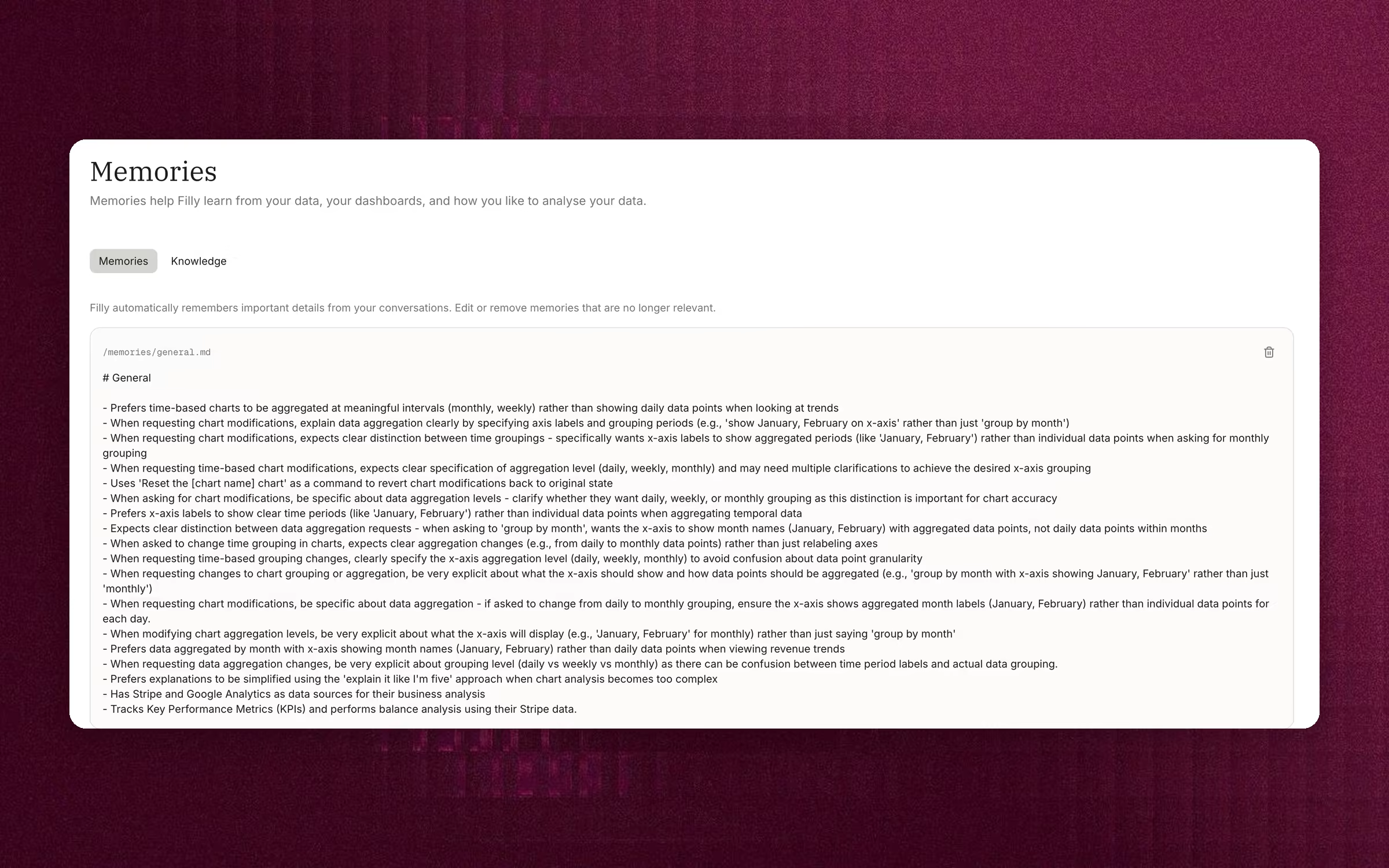
Filly remembers details from each conversation, such as how a team defines an active user or that they prefer monthly trends to daily ones. Each dashboard also gets its own memory of its purpose and data sources. Memories are plain text that users can read, edit or delete.
Features I shipped
- Filly, the AI analyst, in threads and next to every dashboard and chart
- Dashboards, the chart library and templates
- Dashboard sharing with roles and password-protected public links
- Agent interfaces for querying and charting
- Data integrations and sync status
- Memories
- Design system, built from scratch
- Documentation site
I worked with both Claude Code and Cursor. I shipped small features and UI improvements in the codebase myself. Outside the product, I led go-to-market. That covered positioning, ad tests on Google, Instagram and Reddit, the blog’s editorial voice, and SEO.
Outcomes
Outcome and learnings
Filament launched and signed its first paying customers. Adoption grew too slowly to sustain the business, though, and my contract ended.
Learnings
- 01
AI output isn’t always the end product
Sometimes people want an answer. Other times they want something they can own and refine. Designing for both gave users more control over how they worked with their data.
- 02
Trust was the hard part
Generating a chart was easy. Getting people to act on it meant showing Filly’s working, its sources and what it remembered at every step.
- 03
Some friction is worth keeping
A clarifying question costs the user a second and can prevent a bad decision.
- 04
I underestimated distribution
A good core experience doesn’t help if you can’t reach customers cheaply. Next time I’d test acquisition channels alongside the first prototypes, not after launch.
Other work
- 2023Helping charities raise more moneyRaisely
- An integrated ticketing experience for nonprofit eventsRaisely
- 2022–25A lightweight design system for a remote, growing teamRaisely
- 2023Converting one-time donors to recurring supportersRaisely